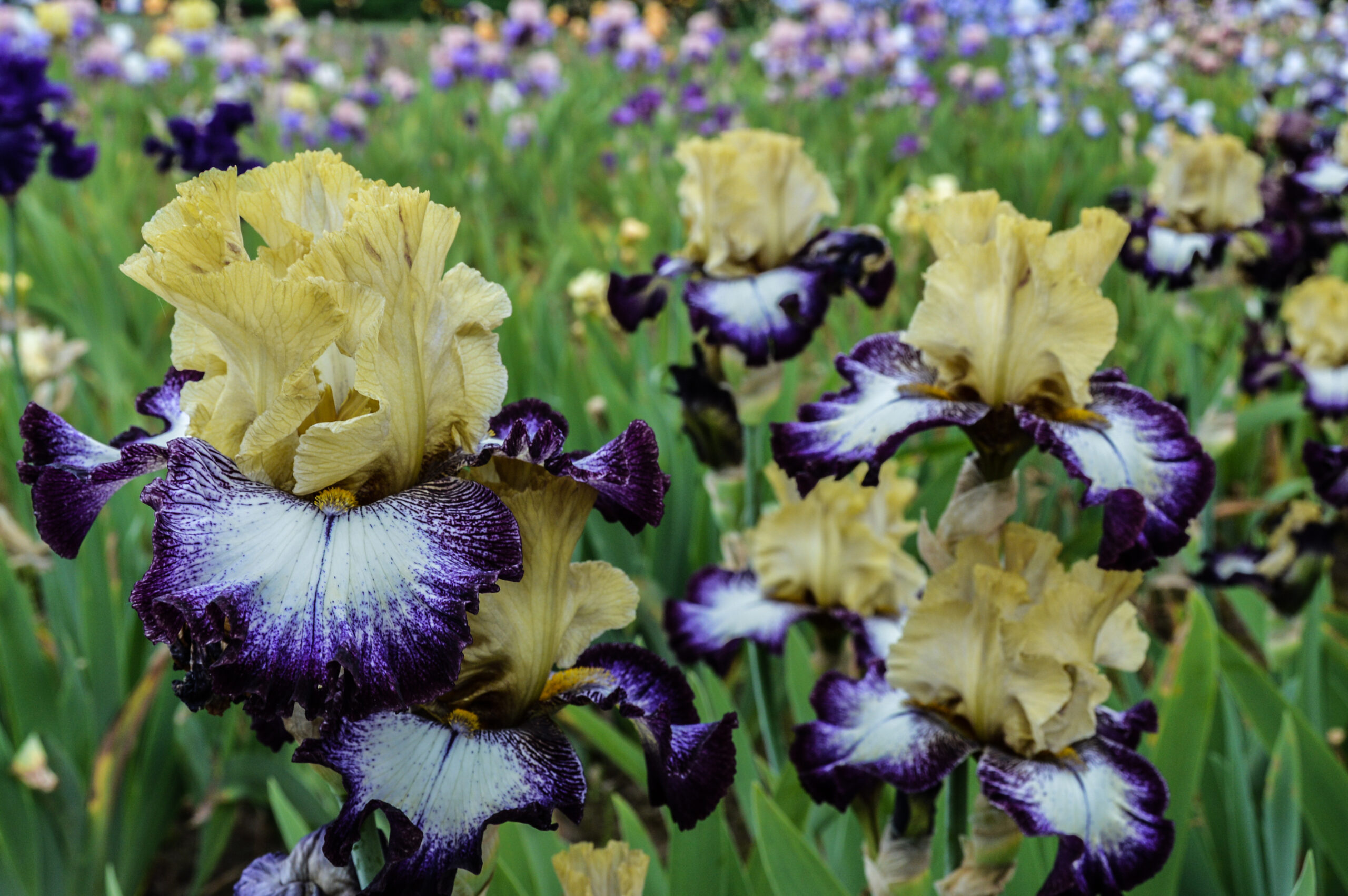

Irises are registered by their hybridizer by completing the application in the AIS Integrated System’s (IS) “Iris Registeration” module and paying a registration fee for each cultivar they wish to register. Only after the registrar has reviewed the application, checked it for name conflicts and completeness of description, and approved it will the cultivar be considered registered.
getting started
Registering a cultivar is a six step process with the first five being completed by the registrant and the final step completed by the AIS Registrar. Begin the registration process by selecting “+Register New Cultivar” from the Iris Registration Panel in the IS:
- Cultivar Details. This section requires a description of the class, height, bloom time, and flower. This is also where the cultivar name is first checked against registered and reserved names in the database. [Please note that the name must also be approved manually by the registrar, passing the name conflict test is only a preliminary check.]
- Parentage. A minimum of the pod and pollen parent are required, additional pedigree information is helpful.
- Photos. At least one photo that will be made part of the public record is required. See the Digital Image Guidance section for file size, dimensions, format and other important considerations.
- Registrant. This is the person who hybridized the cultivar. The section autopopulates with the information of whoever is logged into the system but can be changed to reflect a different a hybridizer when appropriate, i.e. when registering irises by proxy.
- Fee. When the prior steps have been completed and there are no validation warnings, the registrant can submit their application by adding the registration fee ($15.00)to their shopping cart and following the prompts for payment. You may add multiple registration fees to your shopping cart before checking out.
- Approval. The registrar will complete their validation checks including accepting or rejecting a cultivar name (See the Name Guidance section below.) Once approved the registrant will receive an approval email and may print their certificate of registration.
It is helpful to gather all the information you will need before starting the application process, you can find helpful templates for this in the Registration Forms section below.
supplemental guidance & Helpful tools
Set up an account
The hybridizer will need to set up an account in the IS if they do not already have one (use the Member Login button to access the IS and “create an account” if needed. Complete the “New Account” form fields, create a password, and click the “Create Account” button.) The person completing the application becomes the “owner” of the record even if they are not the actual hybridizer of the cultivar.
Registration Forms
The forms below are available for manual registrations, i.e. mailed to the registrar, and as worksheets to gather all the information necessary to complete a registration online. There are printable PDFs and fillable PDFs for each of the forms. The printable form may be downloaded, printed, and filled out manually. It may then mailed to the Registrar or scanned and emailed to the Registrar. The fillable PDF may be downloaded and saved as a re-useable file. It may be opened and filled out electronically using Adobe Reader, saved for each registration, and emailed to the Registrar.
- Instructions to Registrants. Download PDF
- Single Page Registration Form. Download a Fillable PDF or printable PDF
- Additional Tree Page. Download a Fillable PDF or printable PDF
It is advisable to download the Registration Form Instructions along with the form you want to use.)The above files are provided as downloadable Adobe Acrobat PDF type files. You will need Adobe Acrobat Reader to view or fill-in the fillable files. Adobe Acrobat Reader is free software for viewing and printing Adobe Portable Document Format (PDF) files on all major hardware and operating system platforms. It is a very useful add on program that many people already have installed on their computer. If you need to get the free Adobe Acrobat Reader program use this link. Click here Adobe Reader
Completed Registration Forms are sent to:
Registrar-Recorder:
Janis Shackelford, PO Box 21827, El Cajon, CA 92021
Phone: N/A | Email: janis.aisreg@gmail.com
Registrants are encouraged to review the AIS publications: 10 year Check Lists and annual Registrations and Introductions booklets for names prior to submitting a name for reservation or registration. Alternatively, you may subscribe to the online registrations database irisregister.com and search electronically for names. For more information go to the Check Lists page on this website.
Reserve A Name
To reserve a name, select “+Reserve A Name” from the Iris Registration Panel in the IS and follow the prompts in the module. Select a name and proceed to the fee section and adding it to your shopping cart . Click the shopping cart icon in the IS to pay the fee ($15)through PayPal. The Registrar-Recorder will review the name and either approve it or ask for another name. When the name is approved you will receive an email indicating the approval.
A name can be reserved for three years (the rest of the registration year (ending November 30th) plus the next three years before it expires. i.e. A reserved name approved on July 14, 2026 expires November 30, 2029.) There is no additional charge to change your reserved name selection to a registeration during this period. Once a reservation has expired another $15 fee must be paid to reserve the name or register an iris with that name.
Name Regulations
Select a name which has not previously been used and submit it for approval when requesting application. Refer to ten year Check Lists (1939, 1949, etc.) and annual registration supplements issued after the latest Check List. (Please also submit alternate names.) A name is not registered until the registration application has been filed and a certificate of registration returned to you. See Name Restrictions for the full list of regulations related to registered iris names.
Acceptable Abbreviations
- AB Arilbred (must select a subclass to describe)
- OGB Arilbred subclass Oncogeliabred with 1/2 aril content
- OGB- Arilbred subclass Oncogeliabred at least 25% or greater but less than 50% aril content
- OGB+ Arilbred subclass Oncogeliabred greater than 50% aril content
- OGB-/ABD Arilbred subclass Oncogeliabred at least 25% or greater but less than 50% aril content
- OB- Arilbred subclass Oncobred at least 25% or greater but less than 50% aril content
- RB Arilbred subclass Regeliabred with 1/2 aril content
- RB- Aribred subclass Regeliabred at least 25% or greater but less than 50% aril content
- RB+ Arilbred subclass Regeliabred greater than 50% aril content
- AR Aril (must select a subclass to describe)
- OG Aril subclass Oncogelia
- OH Aril subclass Oncocyclus species
- RC Aril subclass Regeliocyclus
- RH Aril subclass Regelia species
- BB Border Bearded Iris
- CA Californicae (Pacific Coast Native Irises)
- F. Falls (sepals)
- IB Intermediate Bearded Iris
- JI Japanese Iris
- MDB Miniature Dwarf Bearded Iris
- MTB Miniature Tall Bearded Iris
- OB Arilbred subclass Oncobred with 1/2 aril content
- RE Remontant (reblooming)
- S. Standards (erect petals)
- SDB Standard Dwarf Bearded Iris
- Sdlg. Seedling
- SIB Siberian Iris
- SPEC Species Iris
- SPEC-X Species hybrid
- SPU Spuria Iris
- TB Tall Bearded
Digital Image Guidance
AIS has appointed Janis Shackelford as the AIS Image Coordinator. The Image Coordinator has the responsibility of creating a reference library of registered irises. Registrants are required to submit at least one image. You may submit the image(s) at any time, but no later than the registration has been accepted and confirmed. The seedling number will allow us to track the image if a name is rejected and must be changed. In the case of a name that has been reserved, please submit the image as soon as the name is converted to a registration.
Send the photos or any questions you may have to the AIS Image Coordinator, Janis Shackelford. Images can be emailed to the Image Coordinator, at janis.aisreg@gmail.com or uploaded to a private online file (instructions below.) If you lack the capability to submit a photograph in the required format/size (see below), submit your registration to the Registrar and contact the image coordinator for help.
While the requirement is for images to be included with registrations submitted in 2018 and forward, you are also encouraged to submit images for registrations made prior to 2018
Image Requirements
The AIS requires a picture of the iris bloom and encourages additional pictures of other views such as stalks, clumps, foliage, and close-ups of any distinguishing feature, e.g., flounce or spoon.
A picture size of 500 KB is the minimum but larger is better. This is to ensure that if your image is published the print quality will be acceptable. A file size of 3-4 MB is preferable.
AIS prefers images without watermarks, names, photographer or other identifying information. If an image is not clear of that type of information it cannot be used in an AIS or Affiliate’s publication. Any image submitted will be accepted but only those that meet the specifications can be published. (See copyright information below protecting your rights)
File Formats
Almost any file type is acceptable. The most common is JPG or JPEG and is preferred. Other types are PNG, TIFF and RAW. If you are having difficulty with submitting a particular file type, please contact the image coordinator at images@irises.org.
Naming Images
So that we can manage the database of photographs, AIS needs the following information to be part of the file name for proper identification:
– Registrant
– Seedling Number
– Cultivar Name and View (e.g., bloom, stalk, clump…)
– Class
– Registration Year
– Photographer
The format should be:
< Registrant>_<seedling #>_<name-view>_<class>_<year>_<photobyCredits>
For Example:
NSmith_02B-14-A_Plumber’sDelight-bloom_LA_2018_photobyGraceKelly.jpg
MDawson_AA-34-15_RawShrimp-clump_TB_2018_photobyDorothyGale.jpg
File names should not contain spaces, forward slashes (/), or back slashes (\). Use underscores (_) or dashes(-) instead
Submitting Images
Submission of photos grants AIS permission to use as outlined in the Copyright Disclaimer below including submission to the Iris Encyclopedia.
You may email your images to images@irises.org. However, many email programs and servers reduce the size of an emailed image using compression technology. This compression reduces the image quality. Some emails are blocked because of size limitations!
For the reasons above, the image coordinator has created a process that will enable you to easily upload your images and avoids all the email issues. Send an email to the Image Coordinator at images@irises.org and request a link to an upload folder. Send just a short note. (i.e., “Please send a a link to upload images for <Your Name>”)
To use this process you will need a Google account. If you do not have one, when you try to open the folder link sent to you, Google will prompt you to create an account. It is not difficult.
Once you receive a return email from the image coordinator with the link to your image folder:
- Click on this link to open YOUR folder.
- You can simply drag your image files/folders onto the folder page in your browser
or Click on the “+NEW” button and move down and click on “file upload” then select the file(s) you wish to upload from your computer. This should look just like attaching a file to an email - Wait until the file(s) has uploaded before shutting down your computer, meanwhile you can work on other tasks while the upload process will continue in the background.
The image coordinator will gladly assist you personally if you need help.
About Security
Access to the file to which you upload your images is limited to the AIS Registrar (Janis Shackelford), the image coordinator (Janis Shackelford) and you. If you choose to share your link with someone who works with your images that is fine. Other registrants will not have access to your files and you will not be able to access their folders. In other words, you are in control. Unfortunately, no-one can guarantee absolute security as we have seen, but this is a very secure system with Google. It also seems an unlikely target for intrusion.
Detailed Copyright Disclaimer:
The registrant hereby acknowledges that by submitting a photograph of an iris cultivar registered with the Registrar-Recorder of the American Iris Society the registrant hereby grants the AIS and its agencies (Affiliates, Regions, Sections) the right to reprint or republish such photograph in the Iris Encyclopedia maintained by the AIS; in any of the newsletters or journals published by the AIS or its agencies; to publish such photograph on any website maintained by or on behalf of the AIS or any of its agencies; and to publish such photograph in any other publication published by the AIS or its agencies in the ordinary course of its educational and scientific activities.
Submission of a photograph to the AIS represents and warrants that, with respect to the photograph submitted, the hybridizer is the owner of all copyright rights other than those rights otherwise granted to the AIS herein or by law. If the photograph submitted was taken by other than the hybridizer, the hybridizer certifies that permission has been obtained from the owner of the photograph for the uses described herein. The photographer shall retain ownership of all individual copyright rights to the photograph covered by this agreement except for those rights granted to the AIS or by law. (05-07-2012JS)